
NanoEdge Display
Enjoy more screen space with the thin-bezel NanoEdge design, offering a 78% screen-to-body ratio in a compact 14-inch chassis.
$0.00
Your cart is empty
Join our community for exclusive offers and updates.
No, thank you. I'll pay full price.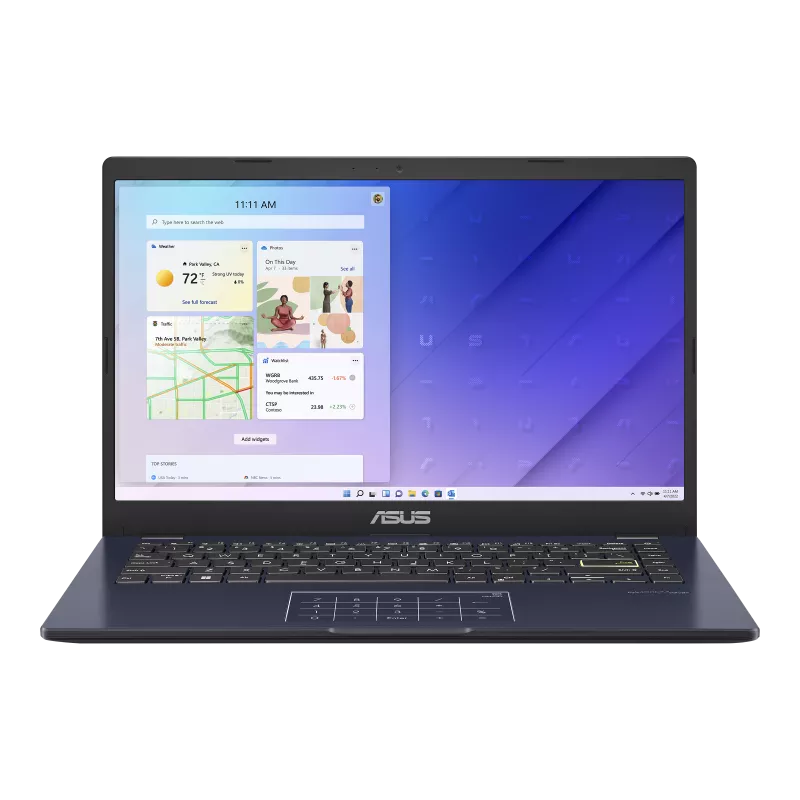
OURBIZ-US Shop
Settings: Intel® Celeron® N4500 | 128 eMMC | 4 GB RAM

Compact 1.3 kg design, innovative NumberPad, and all-day battery life.

Life is about finding the perfect balance, and the ASUS Vivobook Go 14 (E410) makes it possible. This lightweight and compact laptop is designed to complement your dynamic lifestyle, offering a modern and unique design that stands out wherever you go. Weighing only 1.3 kg, it fits easily into your backpack, allowing you to be productive or enjoy your favorite content anywhere.
Beyond its portability, the Vivobook Go 14 breaks molds with bold design details, such as its bright yellow Enter key and iridescent finishes on selected models. Equipped with smart technologies like the ASUS NumberPad, it facilitates your daily computing and navigation tasks, combining performance and personality in a single device.
Forget about the lack of a numeric keypad on small laptops. The innovative ASUS NumberPad 2 integrates a full LED numeric keypad into the touchpad. Just tap the icon to activate it and facilitate numeric data entry without sacrificing space.
Work on your spreadsheets or watch movies without distractions. Its intelligent fanless design keeps noise levels to a minimum and prevents dust buildup, ensuring a silent environment for you and those around you.
Collaboration is easier thanks to its flat 180° hinge. Lay the laptop completely flat on the table to share content, sketches, or ideas with friends and colleagues without having to rotate the device.
Discover how the Vivobook Go 14 optimizes your daily life with features designed for efficiency and comfort.
Enjoy more screen space with the thin-bezel NanoEdge design, offering a 78% screen-to-body ratio in a compact 14-inch chassis.
With up to 42 Wh capacity, this laptop gives you the freedom to leave your charger at home, offering enough battery life for your study or work days.
Available in colors like Peacock Blue or Dreamy White that change hue with light, plus a modern motif on the lid derived from the ASUS logo.
Includes USB-C 3.2 Gen 1 port, USB 3.2 Type-A, USB 2.0, HDMI output, and microSD card reader to connect all your peripherals seamlessly.
| Processor | Intel® Celeron® N4500 or Pentium® N6000 |
| Display | 14.0" FHD (1920 x 1080) 16:9, IPS-level Panel |
| RAM | 4GB DDR4 on board |
| Storage | Up to 128GB eMMC |
| Graphics | Intel® UHD Graphics |
| Connectivity | Wi-Fi 5 (802.11ac) + Bluetooth® 5.1 |
| Ports | 1x USB-C, 1x USB 3.2 A, 1x USB 2.0, HDMI 1.4 |
| Weight | 1.30 kg |
| Dimensions | 32.50 x 21.70 x 1.80 cm |
Yes, it's an excellent option for students thanks to its light weight of 1.3 kg, compact size for carrying in a backpack, and adequate performance for office tasks, web browsing, and video calls.
The NumberPad is an illuminated numeric keypad integrated into the touchpad. It allows for quick number entry like on a traditional keyboard. Even with the NumberPad activated, you can still use the touchpad to control the cursor thanks to its intelligent software.
The RAM is soldered to the board (on board) and cannot be upgraded by the user. However, it has an M.2 slot for SSDs that allows for fast and efficient storage options (check for single-sided SSD support depending on the model).
