
OURBIZ-US Shop
Pico 4 VR (Without Global ROM)
Capacity: 128 GB / 8 GB RAM
About this product
Description
This is the Chinese model to which the customer has to manually add the Global ROM, and it will then function in the same way as a Global model. The differences are as follows:
- It comes with all languages, including Spanish, so there's nothing to worry about.
- Updates would have to be done manually.
- This version is always cheaper than the Global one.
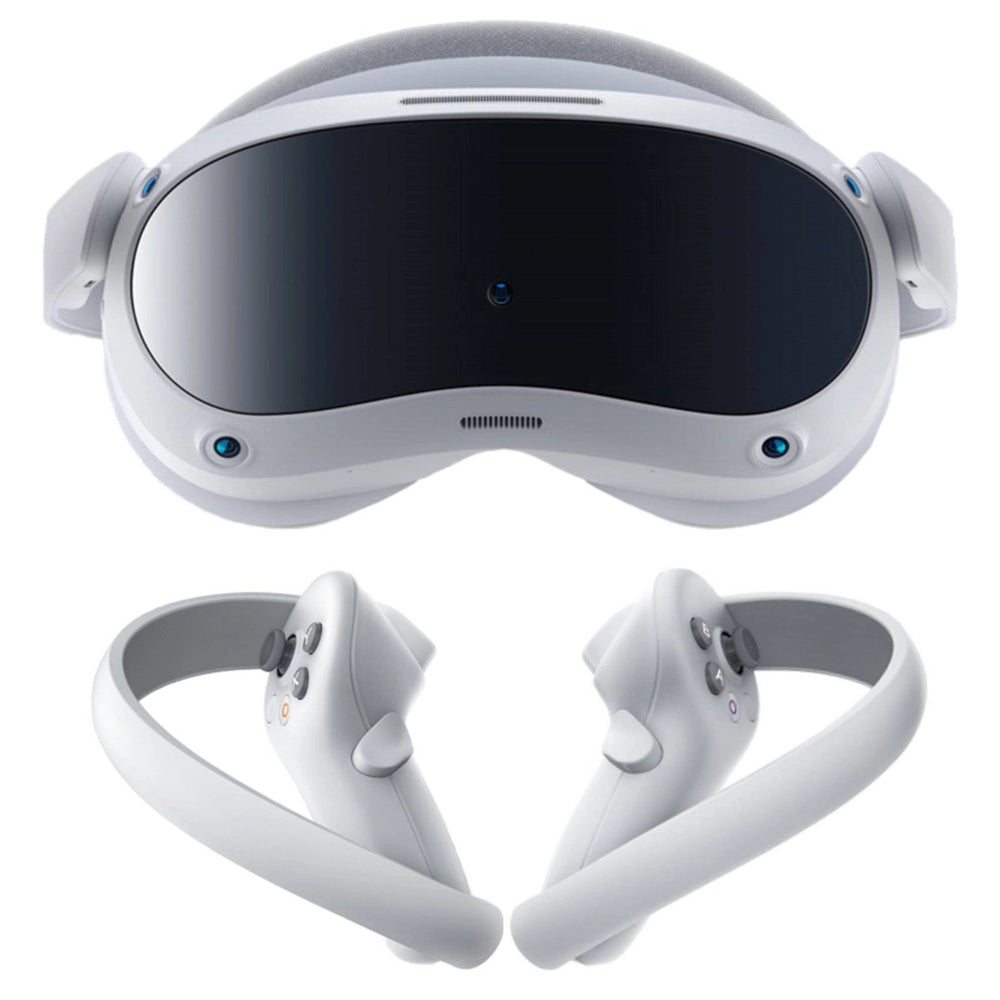
The Pico 4 VR is a virtual reality headset that offers a total immersion experience in the virtual world. This device features a powerful 8-core Qualcomm Snapdragon XR2 processor that allows for fast execution of applications and games. Additionally, it has 8 GB of RAM and 128 GB or 256 GB of internal storage, allowing the user to store a wide variety of content.
Each lens of the Pico VR features 2.56-inch (6.5 cm) Fast-LCD screens that provide a 105° field of view for even greater immersion, allowing for an impressive resolution of 4,320 x 2,160 (2,160 x 2,160 per eye) and a refresh rate of 90 Hz. Thanks to this high resolution, the user can enjoy sharp images and vibrant details in each of the VR lenses.
The design of the Pico 4 VR is balanced and modern, with weight evenly distributed between the front and back. As a result, it fits in such a way that it provides superior comfort. Its Pancake lens design has significantly reduced the weight.
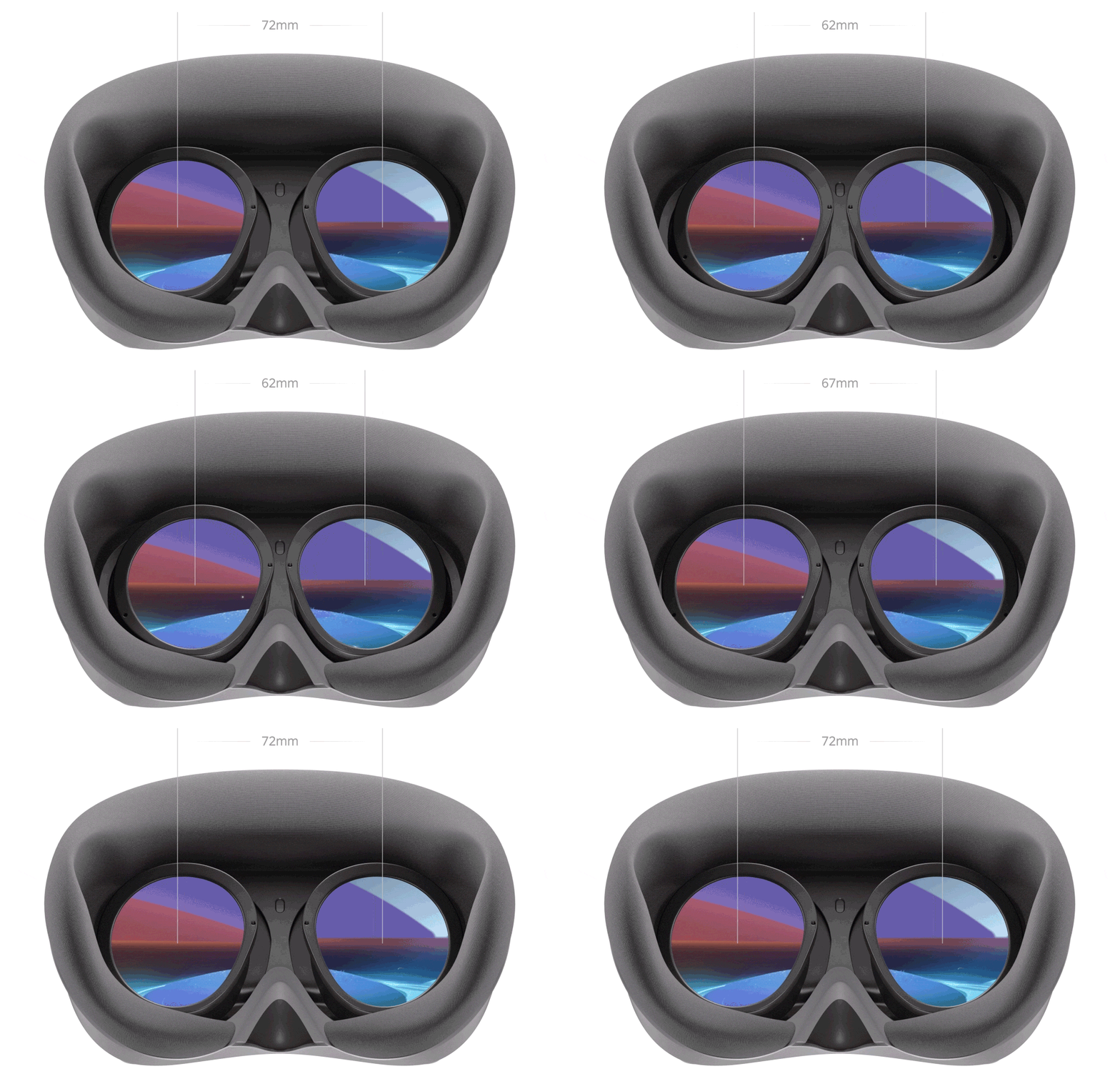
These PICO VR glasses support precise interpupillary distance adjustment from 62-72MM through the settings menu.

The Pico 4 VR battery has a capacity of 5300 mAh, providing the user with up to 2.5 to 3 hours of continuous use. Additionally, the device features a fast charging system.
The Pico 4 VR is equipped with 6 degrees of freedom motion controls, allowing the user to interact with the virtual world naturally and fluidly. The controllers feature:
- Joystick
- Trigger
- Grip
- Menu
- Capture
- Home
- X/Y (Left hand)
- A/B (Right hand)
In terms of connectivity, the Pico 4 VR features Wi-Fi 6 and Bluetooth 5.1, allowing for a fast and stable connection to the internet and other compatible devices. It also has a USB-C port for charging and file transfer, as well as a 3.5 mm audio output for connecting headphones.
Among the additional features of the 3D virtual reality glasses is the ability to share the virtual reality experience with other users through a wireless connection. In addition, it has an eye-tracking system and a 6-degree-of-freedom front camera that allows the user to move in the virtual world seamlessly.
PICO OS 5.0 supports real-time contact with online friends and access to over 250 apps and games with the PICO Store.
These VR glasses are available in different capacities;
- Pico 4 128gb
- Pico 4 256gb
It is a high-quality virtual reality headset that offers a total immersion experience in the virtual world. With its powerful processor, memory, high-resolution screens, motion controls, and additional features, this device is an excellent option for anyone looking for a high-quality virtual reality experience.
Global ROM Installation
https://drive.google.com/file/d/1FaLBzb-XPyNN-tHzv__UrID92LQdoYQi/view
Instructions
Run Install.bat
Press the spacebar as needed
List of third-party applications being installed:
- "LazyMediaDeluxe" - app for watching movies and TV shows
- "Aurora Store" - a Google Play Store alternative, not Google
- "System Settings" - provides access to additional headset settings
- "Virtual Desktop" - for streaming VR games from PC to headset
The installer changes the region to RU. But if you need a different region, edit Install.bat with Notepad. Replace "set region=RU" with your desired region, e.g., DE - Germany. GB - Great Britain. CL - Chile. US - United States.
If this installer does not work, there are 3 possible reasons:
- You forgot to connect the headset to the PC.
- There are Cyrillic characters in the Install.bat file path.
- You do not have USB drivers for Android device debugging installed.
In the first step, everything is simple, connect the headset to the PC.
In the second step, move the installer to the root of the disk. For example, to C:\Pico4_5.2.7
In the third step, open the USB folder and install the drivers. If you can't, then:
- Open Device Manager
- Right-click on the unknown ADB device
- Select update drivers
- Then browse for drivers on this computer
- Select drivers from the list of installed drivers
- Choose install from disk
Click browse and specify the path to the folder with the drivers and select android_winusb.inf
Accept the installation of the unsigned driver (how to disable driver signature verification, there is information on the Internet, nothing complicated)
To install VirtualDesktop (thanks XVortex):
https://4pda.to/forum/index.php?s=&showtopic=1056498&view=findpost&p=118755132 (Russian help forum but can be translated with Google Chrome)
After successful installation of all applications (Install.bat):
- Install VirtualDesktop.Streamer.Setup.exe from the VirtualDesktop folder.
- Log in to the unpatched version of the streamer.
- Replace VirtualDesktop.Streamer.exe with the .exe from the Patch folder. Run. (Step 3 is not mandatory. This is needed to block updates)
Find the application in the "Library" -> "Unknown" section on your headset.
If prompted for a phone, change the region to GB (Great Britain).
If prompted to register/log in, register and log in.
https://4pda.to/forum/index.php?showtopic=1056498&st=100#entry118263349 (help forum section indicating how to switch to Global ROM)
