
OURBIZ-US Shop
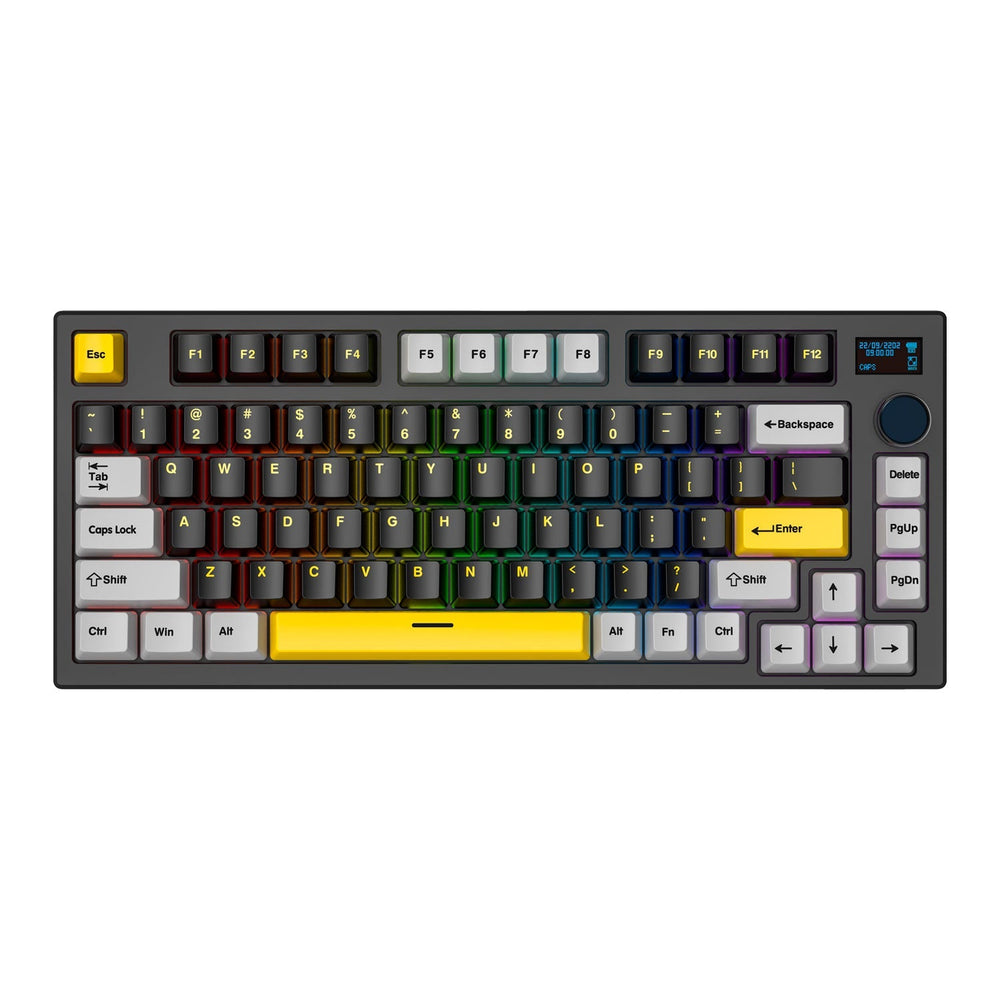
Fantech MAXFIT81 VIBE Wireless Mechanical Keyboard
Color: Vibrant Utility
Switch: Switch Gateron G Pro V2 Yellow/USA
About this product
Description
The MAXFIT81 RGB Wireless VIBE mechanical keyboard is an innovation in the world of gaming and productivity peripherals. This keyboard, with a compact 80% design, combines advanced functionality with a modern and elegant aesthetic, ideal for users looking for performance and style in a single device.

The MAXFIT81 stands out for its versatile connectivity, offering three options: Bluetooth, low-latency USB receiver, and USB-C connection, allowing seamless integration with various devices.
Equipped with interchangeable switches, compatible with a wide range of brands, this keyboard allows for complete customization of the typing and gaming experience. Additionally, it features a 1-inch OLED screen that can display useful information such as PC temperature, essential data, or even personalized GIFs, adding a unique and functional touch.

Among its main advantages, the MAXFIT81 includes a 4000mAh battery that guarantees long sessions of uninterrupted use. Its fully customizable software offers total control over the keyboard settings, ensuring that it perfectly adapts to the specific needs of each user.

The combination of these features makes the MAXFIT81 a superior option for gamers and professionals looking for a high-end, exceptionally performing wireless mechanical keyboard.
Technical specifications
| Specification | Value |
|---|---|
| Product Name | MAXFIT81 Vibe Edition |
| Number of Keys | 80 Keys + 1 Encoder |
| Switch Type | Mechanical |
| Anti-Ghosting | All Keys |
| Connection | Wired, StrikeSpeed Wireless & Bluetooth (up to 5 devices) |
| Battery Capacity | 4000mAh |
| Wireless Distance | Up to 10m |
| Size | 303.2(L)x104.3(W)x45(H)mm |
| Weight | 1018g |
| Battery Life | Up to 70 hours with RGB off / Up to 15 hours with RGB on |
Box contents
| No. | Content | Description |
|---|---|---|
| 1 | MAXFIT81 Vibe Edition | The mechanical keyboard itself. |
| 2 | Switch and keycap puller | Tools to customize your keyboard by changing switches or keycaps. |
| 3 | USB receiver | Small device that connects to your computer for wireless keyboard connection. |
| 4 | Type-C charging cable | Cable used to charge the keyboard battery. |
| 5 | Additional keycaps | Extra keycaps to customize the appearance of your keyboard. |
| 6 | Instruction manual | Guide that explains how to set up and use the keyboard. |
