
OURBIZ-US Shop
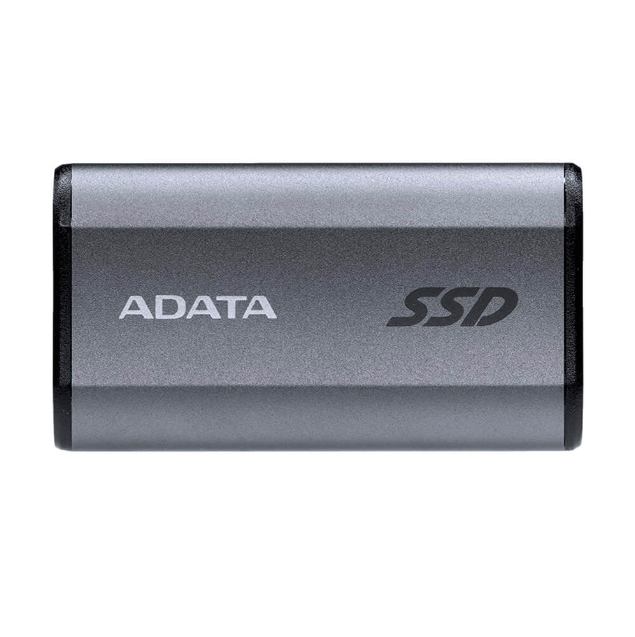
External Solid State Drive SE880 - 1000GB
About this product
Description
The SE880 is compatible with USB 3.2 Gen2 x2, allowing for impressive transmission speeds of up to 20 Gb/s, twice as fast as USB 3.2 Gen 2x1 and four times faster than USB 3.2 Gen 1x1. This gives you superior data transfer performance.

Exceptional Performance up to 2000 MB/s
With the SE880, you'll enjoy read/write speeds of up to 2000 MB/s, making it 20 times faster than traditional external hard drives, which typically only reach 100 MB/s. This allows you to perform demanding tasks like video and audio editing directly from the SE880 without delays.

Designed for Portability and Universal Compatibility
The SE880 is compact and lightweight, making it easy to carry with you wherever you go. Its Type-C connection is compatible with a wide range of devices, including the latest gaming consoles and iPhone 15 series smartphones, allowing you to expand your storage seamlessly. Additionally, it offers seamless compatibility with Android, macOS, Windows, and more—just plug and play.
Data Sheet
|
Color |
Titanium Gray / Blue |
|
Capacity |
500GB / 1TB / 2TB / 4TB |
|
Dimensions (L x W x H) |
64.8 mm x 35 mm x 12.25 mm / 2.55 inches x 1.38 inches x 0.48 inches |
|
Weight |
31g / 1.1oz |
|
Interface |
USB 3.2 Gen2 x2 Type-C (USB 20Gbps) |
|
Sequential Read (max*) |
Up to 2000 MB/s |
|
Sequential Write (max*) |
Up to 2000 MB/s |
|
Operating System Requirements |
Windows 8 / 8.1 / 10 / 11 Mac OS X 10.6 or later Linux Kernel 2.6 or later Android 8.0 or later |
|
Operating Temperature |
5°C (41°F) - 50°C (122°F) |
|
Operating Voltage |
5V DC, 900mA |
|
Accessories |
USB 3.2 Type-C to Type-C cable, USB 3.2 Type-C to Type-A cable, Quick Start Guide |
|
Warranty |
5-year limited warranty |
|
Note |
The product includes a USB-C to USB-C cable and a USB-C to USB-A cable. Connection to micro USB requires a separate cable, not included. Compatibility with specific host devices may vary and might be affected by the system environment. To connect via USB 2.0, two USB ports must be plugged in to provide sufficient power. A Y-shaped USB cable will be needed. 4. For use with macOS devices, reformatting is required. Click here for more information. 5. Please note that the USB Implementers Forum recently renamed USB 3.2 Gen2x2 to USB 20Gbps. For more information on the change, please see the announcement at www.usb.org. |
