
OURBIZ-US Shop
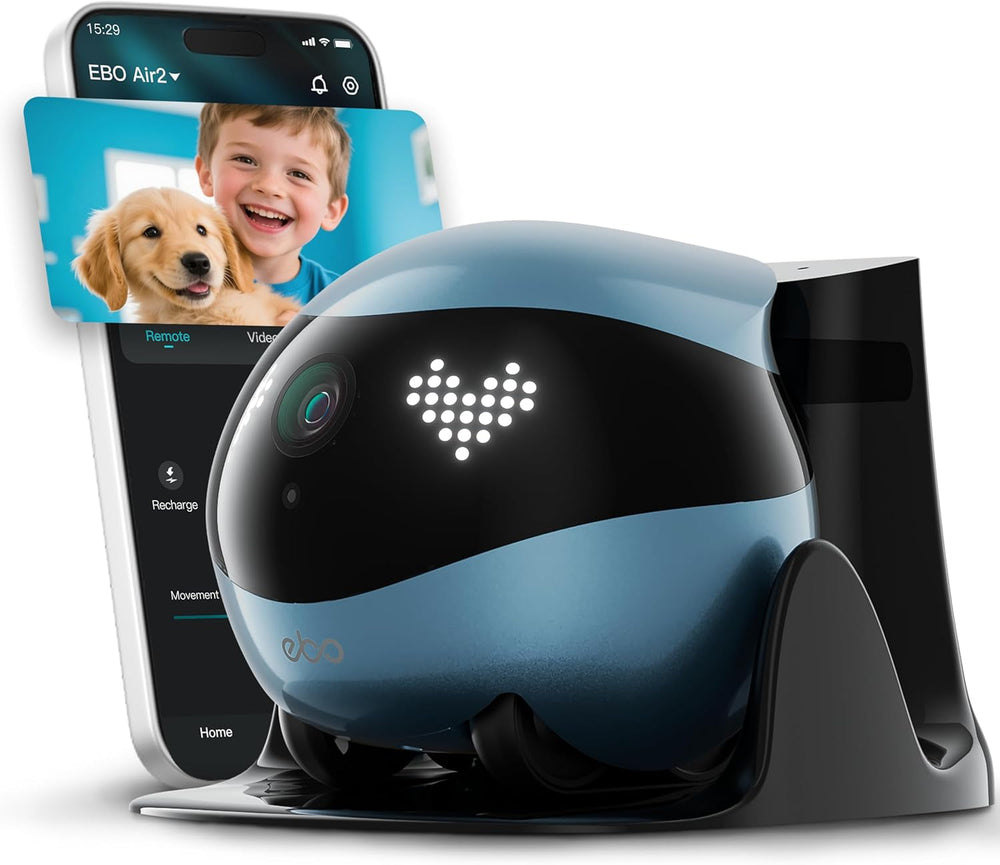
Air 2 Familybot Indoor Security Camera Robot: 2K Pet Camera, Movable Home Robot, Custom Facial Expression, Auto-Recharge, Battery-Operated, 2-Way Talk, Night Vision(Jay Blue)
Color: Jay Blue
Acerca de este producto
- Remote Care & Companionship: Check in on your family or see how your pet is napping while you're away. EBO Air 2 mobile robot camera brings you home instantly, ensuring your loved ones never feel alone
- Drive & See Everywhere: Why stay still? Drive EBO Air 2 pet camera robot via the app to find your pet or check the rooms. Its tracked wheels let you explore every corner for total peace of mind
- Real-Time Two-Way Talk: Hear a laugh and join the fun instantly. Share a quick "I love you" with family or tell your dog to get off the couch. Stay connected and share moments from anywhere
- Clear 2K Vision Day & Night: See every detail with the 2K camera—from daily life to midnight pet adventures. Check in anytime and never miss a moment with EBO Air 2 home camera robot
- Auto-Recharge for Peace of Mind: EBO Air 2 automatically returns to charge when power runs low. Always powered up, always ready for your next check-in
- Pro-Tips for Auto-Recharge: Please place the dock in an open area. As EBO Air 2 uses infrared to find its dock, the return may fail in separate rooms. We recommend driving EBO near its dock after use
- WHAT'S IN THE BOX: EBO Air 2 Home Camera Robot (Jay Blue), Charging Dock, Charger, 32GB microSD Card (pre-installed in EBO Air 2), User Manual
Product description
-
Does the EBO Air 2 support room mapping (like robotic vacuums) for automatic navigation?
No, it doesn't support room mapping or fully automatic navigation.
-
How can I connect the EBO Air 2 to my home Wi-Fi?
1. Download the EBO Home App
2. Long-press the reset button until EBO makes sound
3. Connect your phone to a 5GHz Wi-Fi
4. Select "EBO Air 2" in the app and follow the in-app prompts to connect
-
How can I share access with others?
1. Connect EBO Air 2 to your home Wi-Fi
2. Invite your family/friends to register an EBO Home APP account
3. Share access in the APp (Me -Share Management - Invite)
-
Why can't my EBO successfully return to the charging dock?
The EBO Air 2 relies on infrared scanning to locate its dock.
lf they are in different rooms, recharging may fail.
